
Financial Apps for Tracking Spending: Essential Tools for Smarter Budgeting
Tracking spending has become easier with the availability of financial apps designed to help you monitor where your money goes. These apps connect to your bank accounts and categorize expenses automatically, saving time and increasing accuracy. The best financial apps provide real-time updates, budgeting tools, and insights into your spending habits.
Choosing the right app depends on your specific needs, like debt tracking, bill reminders, or investment monitoring. Many apps offer customizable features that allow you to set spending limits and receive alerts when you approach them. This functionality helps users stay on budget and avoid overspending effortlessly.
Key Features of Financial Apps for Tracking Spending
Financial apps for tracking spending offer several essential tools that improve money management. These include organizing expenses, providing instant updates, setting personal limits, and connecting directly to your financial accounts.
Expense Categorization
Expense categorization is fundamental for understanding where your money goes. Apps automatically sort purchases into groups like groceries, transportation, or entertainment, allowing clear visibility of spending patterns.
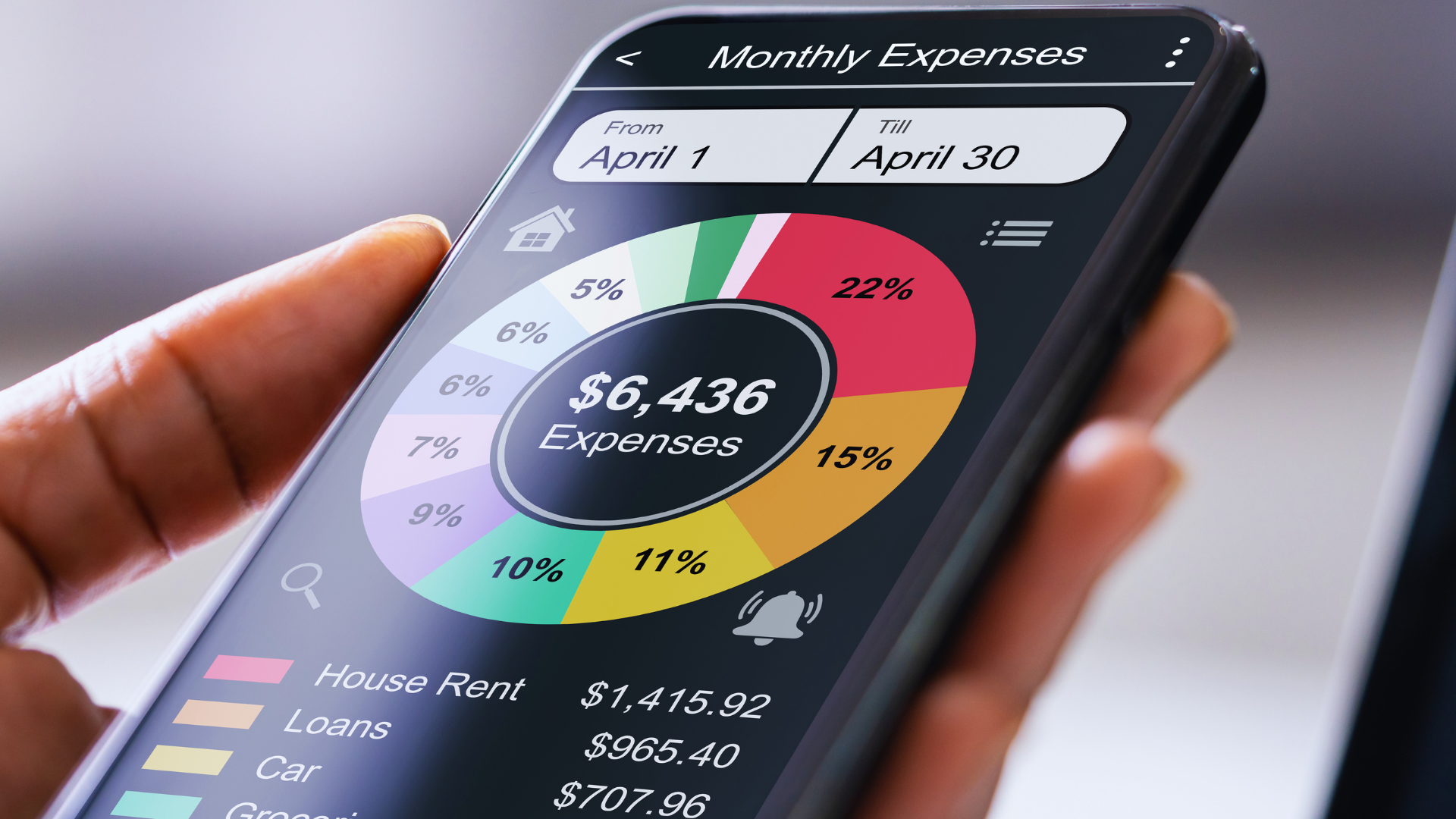
Many apps also allow users to create custom categories tailored to individual needs. This flexibility helps pinpoint specific areas where overspending may occur. Visual representations such as pie charts or bar graphs often accompany these categories, making the data easier to interpret at a glance.
Accurate categorization simplifies budget adjustments and financial planning by showing exact amounts spent in different areas over time.
Real-Time Tracking
Real-time tracking updates users instantly when transactions occur, ensuring an accurate and current spending overview. This feature helps prevent overdrafts and surprises by showing balances and recent activity as they happen.
Notifications for unusual spending or approaching budget limits provide immediate alerts. This empowers users to make quick adjustments before overspending.
Real-time tracking also supports syncing across multiple devices, so financial insights remain consistent whether on a phone, tablet, or computer.
Customizable Budgets
Customizable budgets are a core element that helps users set realistic spending limits. Users assign specific amounts to categories or overall monthly expenditure based on income and financial goals.
Apps often include preset templates for common budget styles but allow adjustments such as frequency of budget periods or rollover of unused funds. Alerts notify users when spending in any category nears or exceeds set limits.
This control promotes discipline and encourages mindful spending decisions. Tracking progress visually aids motivation and accountability toward financial objectives.
Automated Transaction Import
Automated transaction import connects financial apps directly to bank accounts, credit cards, and other financial institutions. This eliminates manual entry, reducing errors and saving time.
Transactions are imported daily or in real-time, providing a seamless and consistent recording of all financial activity. Systems use encryption to ensure data security during transfer and storage.
This automation allows comprehensive records without disrupting daily routines. Users benefit from having all transactions centralized in one app for easier tracking and reporting.
Top Financial Apps for Tracking Spending
Different users have varying needs when it comes to tracking spending. Some prioritize automation, others want hands-on control, and many require shared access for managing family budgets.
Best for Automatic Tracking
Mint is a leading choice for automatic tracking. It securely connects to bank accounts, credit cards, and bills, importing transactions in real time. Its AI categorizes spending, making it easier to see where money goes without manual input.
The app offers alerts for unusual charges and bill due dates. It also provides budgeting tools and visual spending reports. Users appreciate Mint’s simplicity combined with robust insights, ideal for those wanting seamless, hands-off tracking.
Best for Manual Entry
YNAB (You Need A Budget) excels for users who prefer manual entry. This app focuses on intentional budgeting, requiring users to input transactions to maintain awareness of every dollar. The hands-on process helps build disciplined spending habits.
YNAB’s interface highlights available funds per category, encouraging proactive money management. While it lacks automatic bank syncing by default, manual tracking fosters a deeper understanding of cash flow and planned spending priorities.
Best for Families and Sharing
Goodbudget is designed for family budgeting. It uses the envelope system to allocate funds across spending categories, with shared access for multiple users. Members can track joint expenses and manage household finances transparently.
The app syncs across devices in real time, making it suitable for couples or families who collaborate on budgeting. Goodbudget’s focus on clear, shared financial goals supports teamwork and accountability in money management.
How Financial Apps Track Transactions
Financial apps use several methods to capture and organize spending data automatically or with user input. These methods help provide accurate insight into your financial habits and maintain up-to-date records.
Bank Account Integration
Most financial apps connect directly to your bank accounts through secure APIs or third-party services like Plaid. This integration allows the app to pull transaction data in real time, showing purchases, withdrawals, and deposits.
Transactions are categorized based on merchant information and transaction type, often using machine learning to improve accuracy over time. Users can usually link multiple accounts—checking, savings, and credit cards—in one place for consolidated tracking.
Security features include encryption and multi-factor authentication to protect sensitive data. The seamless flow of information reduces manual entry and delays, giving you a comprehensive, up-to-date financial overview.
Receipt Scanning
Some apps let you scan or photograph purchase receipts to capture transaction details. Using optical character recognition (OCR), the app extracts key data such as merchant name, date, amount, and sometimes line-item details.
This method supports expenses not captured through bank integration, like cash purchases or certain service payments. It also helps users verify and reconcile transactions against their bank records.
Receipt scanning requires good image quality for accuracy and may need occasional manual correction. It provides a backup tracking method and can organize receipts digitally for easy reference during budgeting or tax time.
Manual Data Entry
When automatic options are unavailable or incomplete, many financial apps allow users to enter transactions manually. You input details like date, amount, merchant, and category.
Manual entry offers flexibility for tracking cash spending, loans, or other irregular financial activity. It also enables the correction of errors from automated imports.
Although time-consuming, it ensures none of your spending is overlooked. Some apps offer templates or quick-entry features to speed up this process while maintaining detailed records.
Comparing Free vs Paid Financial Apps
Financial apps for tracking spending vary greatly between free and paid versions. Key differences include the range of features, cost-effectiveness, and how apps handle advertising and prompts for upgrades.
Feature Differences
Free financial apps typically cover basic spending tracking, such as categorizing transactions and setting simple budgets. They often lack advanced tools like investment tracking, multi-account management, or custom alerts.
Paid apps usually offer richer features, including detailed analytics, bill reminders, personalized financial advice, and deeper integration with bank accounts. Some premium versions allow exporting data for tax or accounting purposes.
Users focusing on straightforward expense monitoring can find free apps adequate. Those needing comprehensive money management often benefit from features exclusive to paid plans.
Value for Money
Paid financial apps often charge monthly or yearly fees ranging from $5 to $15. This cost may be worthwhile for users requiring automated insights and faster support.
Free apps provide value by eliminating upfront costs, making them accessible for casual users. However, the limited features can lead some users to spend more time manually managing finances.
Evaluating value involves comparing how much time and effort a paid app saves versus its subscription cost. For many, paying can enhance productivity and accuracy.
Advertising and Upsells
Free apps frequently generate revenue through ads and prompts encouraging users to upgrade. These can appear as pop-ups, banner ads, or restricted features marked as premium.
Paid apps usually offer an ad-free experience and fewer interruptions. By removing upsell tactics, these apps provide a smoother and less distracting user interface.
Users sensitive to ads or who find repetitive approval requests annoying may prefer paid apps. Free apps require users to tolerate or navigate these promotional elements.
Data Security and Privacy in Spending Tracker Apps
Financial apps use specific technologies and policies to keep your data safe. Understanding encryption methods and how your data is shared can help you choose a trustworthy app.
Encryption Standards
Spending tracker apps often use AES-256 encryption, which is recognized as a strong industry standard. This level of encryption protects your data both during transmission and while stored on servers, making it difficult for unauthorized parties to access.
Many apps also employ TLS (Transport Layer Security) for secure communication between your device and their servers. This prevents interception of sensitive information like passwords or bank details during use.
Some apps offer end-to-end encryption, meaning only you can access your data, even the app provider cannot read it. This is less common but provides a higher level of privacy for users concerned about data breaches or leaks.
Data Sharing Policies
Most spending tracker apps clearly detail their data sharing practices in their privacy policies. Some share anonymized or aggregated data with third parties for analytics or marketing purposes, while others explicitly prohibit sharing without user consent.
It’s important to review whether the app sells your data to advertisers or financial institutions. Apps that offer explicit opt-in/opt-out options for data sharing provide better control over your personal information.
Look for apps that comply with GDPR or CCPA regulations, which require transparency and user rights regarding data. Strict compliance with these laws generally indicates stronger privacy protections in place.
Strategies for Maximizing the Benefits of Spending Apps
Effective use of spending apps requires organized data input and regular review of financial information. Prioritizing clear spending categories improves tracking accuracy, while analyzing reports highlights opportunities to adjust habits and budget.
Setting Up Spending Categories
Start by defining clear, specific categories that match your spending habits. Common examples include groceries, dining out, transportation, and entertainment. Use only as many categories as needed to avoid unnecessary complexity.
Customize categories based on your lifestyle. For instance, if you travel for work, include a “Business Travel” category separate from personal travel. Consistently assigning transactions to the correct category improves the usefulness of data analysis over time.
Many apps allow you to set budget limits per category. Use this feature to enforce discipline and receive alerts when you approach or exceed spending caps. Accurate categorization supports better budget management.
Reviewing and Analyzing Spending Reports
Regularly check spending reports to spot trends and areas for improvement. Look for categories with consistent overspending or irregular spikes.
Use visual tools like charts and graphs to simplify pattern recognition. Compare current spending against previous months to monitor progress toward financial goals.
Focus on actionable insights. For example, if dining out costs are rising, consider setting stricter limits or replacing some meals with home cooking. Staying engaged with these reports helps maintain control over finances.
Common Challenges When Using Spending Tracker Apps
Many spending tracker apps face technical and organizational issues that can hinder accurate financial management. Problems with data integration and transaction processing are common obstacles users encounter.
Bank Syncing Problems
Connecting a spending tracker app to a bank account often involves technical difficulties. Users may experience intermittent syncing failures due to security protocols, maintenance on the bank’s end, or incompatible app updates. These interruptions can delay transaction updates and cause incomplete records.
Two frequent causes are multi-factor authentication requirements and changes in bank login procedures. If the app cannot authenticate credentials correctly, syncing stops until the user reauthorizes access.
Frequent syncing errors also make it necessary to manually enter transactions, which increases the risk of mistakes. Regularly checking the app’s connection status and updating login details can help maintain consistent syncing.
Data Categorization Errors
Spending tracker apps rely on algorithms to categorize expenses automatically. However, these categorizations are often inaccurate, grouping transactions into incorrect categories, such as classifying a grocery purchase as dining out.
Mislabeling happens because of vague merchant descriptions and inconsistent transaction metadata. Users must frequently correct categories manually to ensure budgets and reports reflect true spending habits.
Some apps allow custom rules or category overrides to improve accuracy over time. Keeping an eye on category assignments and adjusting them promptly enhances the app’s usefulness for financial analysis.
Integrating Spending Tracker Apps with Other Financial Tools
Spending tracker apps often connect with various financial tools to streamline money management. These integrations enhance budgeting accuracy and simplify data handling for tax purposes.
Budgeting Tool Integration
Many spending tracker apps sync directly with budgeting tools to provide a comprehensive financial picture. This connection allows transactions to be categorized automatically, updating budgets in real time.
For example, YNAB (You Need A Budget) and Mint offer built-in budgeting features that identify spending patterns. Linking a spending tracker app with these tools helps users set limits and monitor progress without manual entry.
Integration can also include alerts for overspending or nearing budget limits. These alerts help maintain discipline by notifying users promptly.
Exporting Data for Taxes
Spending tracker apps typically allow data export in formats like CSV or Excel, essential for tax record keeping. Users can organize and compile transaction histories efficiently for tax filing.
Some apps provide tax-specific categories or tags to simplify identifying deductible expenses. Exporting this filtered data saves time during tax preparation.
Additionally, integration with tax software such as TurboTax or H&R Block is becoming more common, enabling seamless transfer of spending information and reducing errors.
Future Trends in Financial Apps for Tracking Spending
Financial apps are evolving rapidly, driven by advances in technology and changing user needs. One significant trend is the integration of artificial intelligence (AI) and machine learning. These features enable apps to provide personalized insights and automate categorization of transactions with greater accuracy.
Another development is the rise of real-time spending notifications. Users receive instant alerts about purchases, helping them stay within budgets and avoid overdrafts. This enhances control and reduces financial stress.
Voice-activated assistants are becoming more common. They allow users to check balances, track expenses, and set budgets through simple voice commands, improving accessibility and convenience.
Many apps are also focusing on data security enhancements. With growing concerns about privacy, biometric authentication and end-to-end encryption are becoming standard features to protect sensitive financial data.
| Future Trends | Description |
| AI & Machine Learning | Personalized insights, smarter transaction tracking |
| Real-Time Notifications | Instant alerts for spending and budgeting |
| Voice-Activated Controls | Easier access via voice commands |
| Enhanced Data Security | Biometric logins, encryption for data protection |
Lastly, financial apps are expanding ecosystem connectivity. They increasingly link with banks, credit cards, investment platforms, and even bill payment services. This creates a seamless financial overview in one place.